

Frequently Asked Questions
Q. Why am I receiving a text message to do this?
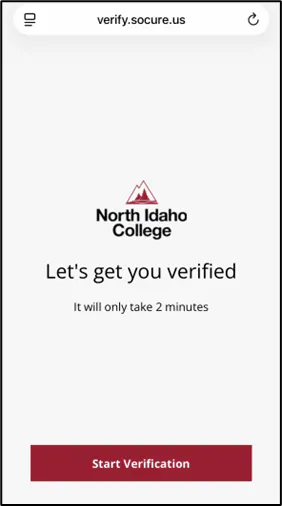
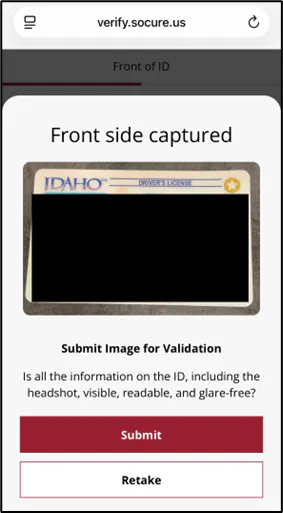
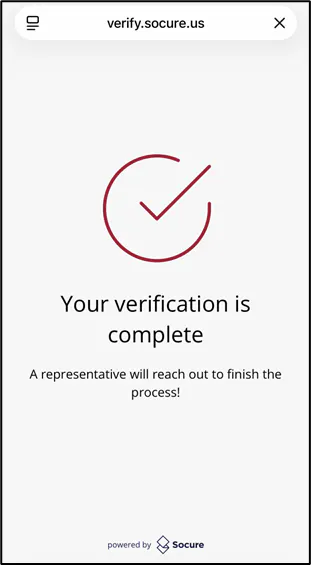
A. There may be several reasons why some data on your application could not be verified. You may have misspelled a word or entered an address incorrectly. Our system uses an automated process to review the application information and if it cannot validate the information, we ask for document verification of your identity to ensure that you are a real person.
Q. Is this really such a big problem that you need to do this?
A. Yes! Fraudulent students and "Ghost Students" have become an increasing problem in higher education. Bad actors either use stolen credentials, identities, or take advantage of open enrollment colleges like North Idaho College to commit fraud or gain access to student emails for phishing purposes. Fraudulent students also take up roster spots on courses which means that legitimate students may miss out on course times that better meet their schedules.
Q. I did not get a text message, but I was accepted to NIC?
A. Great! That usually means that your application data did not have any issues in it and you did not need to do additional verification.
Q. I do not feel comfortable with using my phone to do Identity Verification.
A. We get it! If you do not wish to validate your identity via your cell phone, please make arrangements to visit campus and present your identification card in person.
Q. I do not want to verify my identity this way, and I do not live near NIC or in the State of Idaho.
A. Unfortunately, we will not be able to accommodate your application if that is the case. If you are unable or unwilling to either participate in identity verification via your mobile device or present your identity in person physically, then NIC will cancel your application.
Q. Is this process the same as Federal Financial Aid verification?
A. No. This process is used for verifying application data only. If there are issues with your Federal Financial Aid information, then the Financial Aid Office will send you additional information and verification requirements.